Webhook Setup
Webhooks allow you to receive real-time HTTP POST notifications when events occur in your workspace — including integration changes, transfer detection, and cost basis calculations. Instead of polling the API, webhooks push data to your server as events happen.
Which events you receive
Webhooks are configured on your developer workspace, but they fire for activity in the workspaces your users have granted you access to. The rule is:
You receive an event when it happens in a workspace covered by an active Kryptos Connect grant held by one of your OAuth clients.
So no extra wiring per user is needed — a user completing the Connect flow automatically becomes a source of events, and revoking their grant stops them.
One delivery per grant
Fan-out is per grant, not per workspace. If two of your OAuth clients each hold a live grant on the
same end user, that user's events are delivered twice — once for each grant, each carrying its own
grant_id and its own delivery id.
This is what makes a delivery attributable: grant_id tells you which of your customers the event
belongs to, which a collapsed per-workspace delivery could not. See
Identifying the user.
X-Webhook-Id, not on event contentRetries of one delivery reuse the same X-Webhook-Id, so keying on it is the correct way to drop
duplicates. It will not collapse the per-grant fan-out above, and it shouldn't — those are distinct
deliveries for distinct grants.
This is the alternative to polling after a
resync or a
sync: subscribe to integration.updated and
integration.failed and you can drop the poll loop entirely.
Prerequisites
Before you begin, ensure you have:
- A Kryptos Developer Portal account
- An existing workspace (see Developer Portal Setup)
- A publicly accessible HTTPS endpoint to receive webhook events
Step 1: Navigate to the Webhooks Section
Log in to the Kryptos Developer Portal and open your workspace. Scroll down to the Webhooks section.
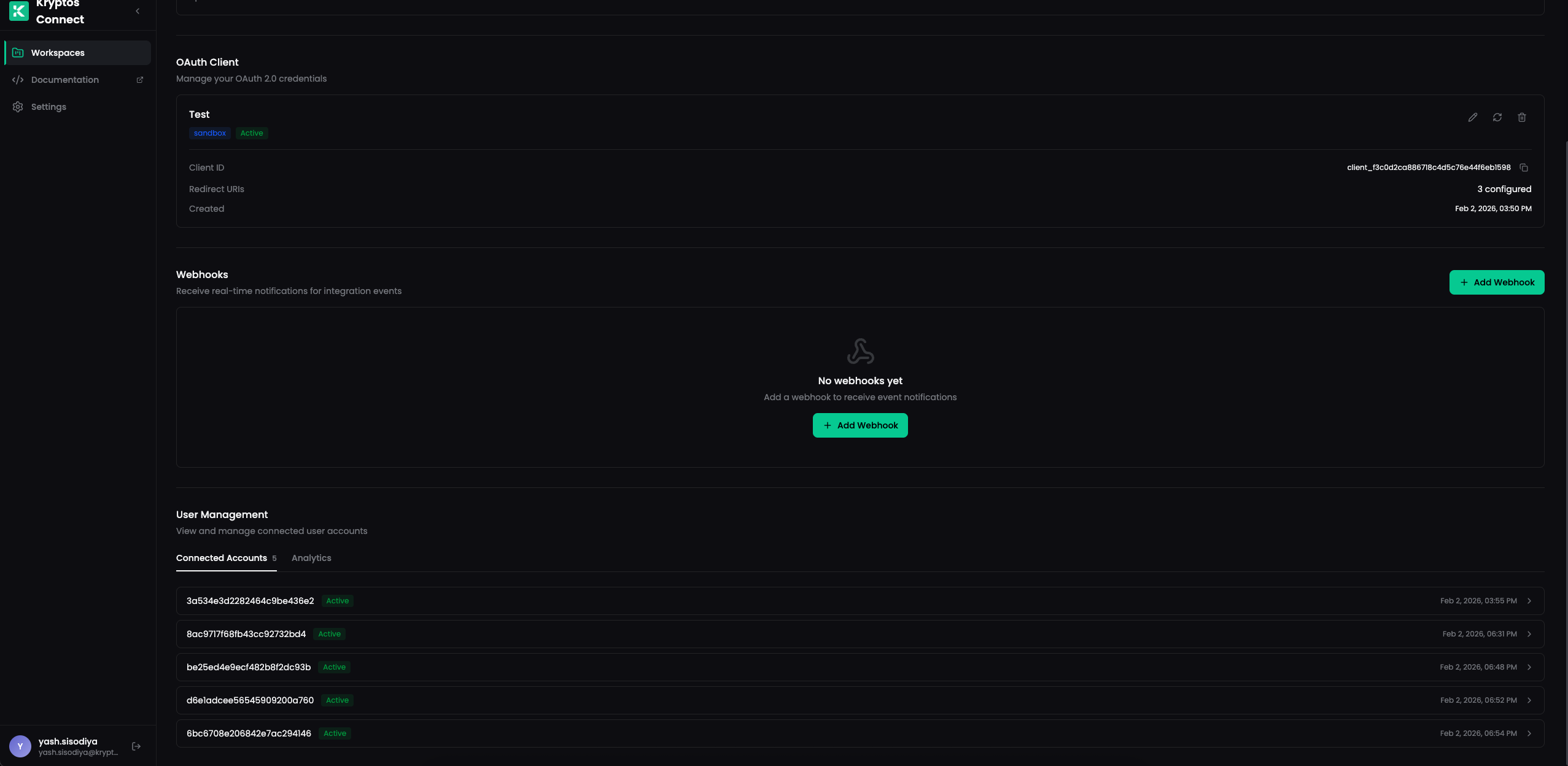
Click + Add Webhook to create a new webhook.
Step 2: Configure Your Webhook
Fill in the webhook configuration form:
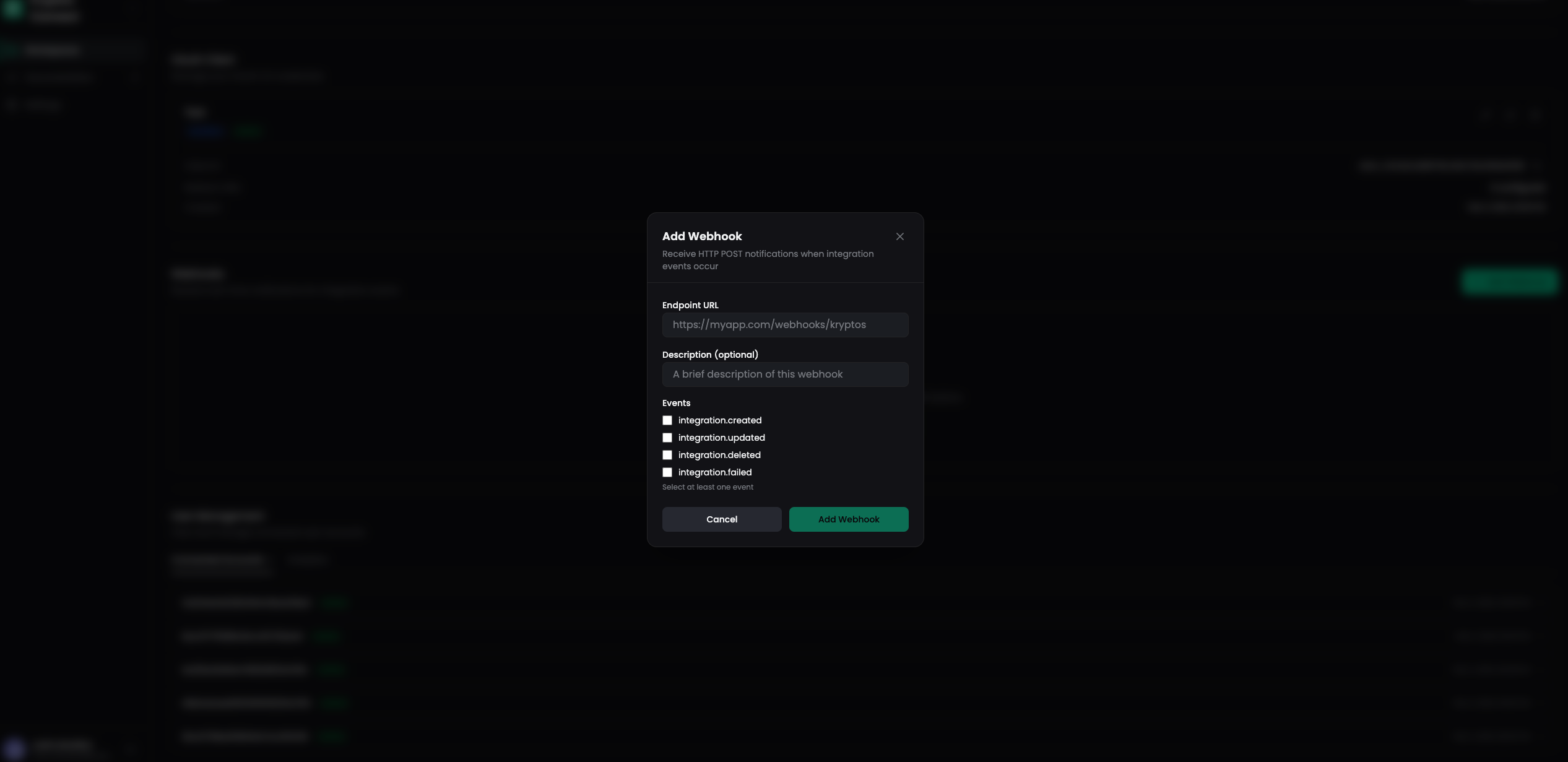
| Field | Description |
|---|---|
| Endpoint URL | The HTTPS URL where webhook events will be sent |
| Description (optional) | A brief description to help identify this webhook |
| Events | Select at least one event type to subscribe to |
Available Events
Select at least one event to subscribe to. Kryptos supports events across three categories: Integration, Transfer Detection, and Cost Basis.
See the Webhook Events page for the full list of events, payload structures, and field descriptions.
Select the events you want to receive and click Add Webhook.
Step 3: Save Your Signing Secret
After creating the webhook, a signing secret is displayed. This secret is used to verify that incoming webhook payloads are genuinely from Kryptos.
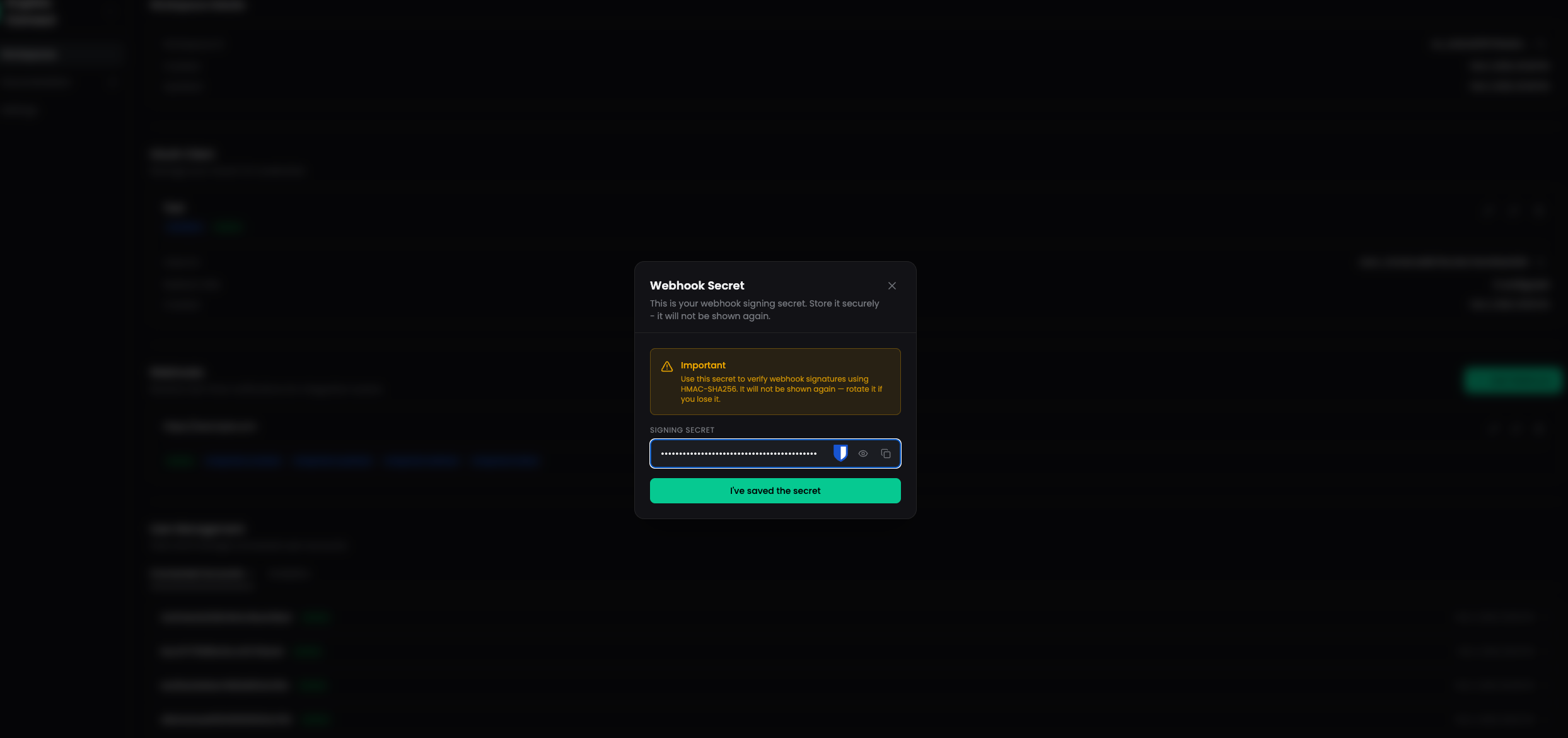
Save your signing secret securely — it will only be shown once! If you lose it, you can rotate the secret from the webhook settings.
Verifying Webhook Signatures
Every webhook delivery includes an HMAC-SHA256 signature in the X-Webhook-Signature header. Use your signing secret to verify the payload authenticity.
Delivery Headers
Each webhook request includes the following headers:
| Header | Description |
|---|---|
X-Webhook-Signature | HMAC-SHA256 hex digest of the request body |
X-Webhook-Event | Event type (e.g., integration.created) |
X-Webhook-Id | Unique delivery ID |
X-Webhook-Timestamp | ISO 8601 timestamp of the delivery |
Content-Type | application/json |
There is no header for grant_id or workspace_id — they are envelope fields in the JSON body.
Parse the body to read them.
Signature Verification Examples
- Node.js
- Python
const crypto = require('crypto');

function verifyWebhookSignature(payload, signature, secret) {
  const expectedSignature = crypto
    .createHmac('sha256', secret)
    .update(payload)
    .digest('hex');

  return crypto.timingSafeEqual(
    Buffer.from(signature),
    Buffer.from(expectedSignature)
  );
}

// Express.js example
app.post('/webhooks/kryptos', express.raw({ type: 'application/json' }), async (req, res) => {
  const signature = req.headers['x-webhook-signature'];
  const event = req.headers['x-webhook-event'];

  if (!verifyWebhookSignature(req.body, signature, process.env.WEBHOOK_SECRET)) {
    return res.status(401).send('Invalid signature');
  }

  const payload = JSON.parse(req.body);

  // Which of your customers this belongs to. Store grant_id at connect time and look it up here.
  const { grant_id: grantId, workspace_id: workspaceId } = payload;
  const customer = await findCustomerByGrantId(grantId);

  switch (event) {
    case 'integration.created':
      console.log('New integration:', payload.data);
      break;
    case 'integration.updated':
      console.log('Integration updated:', payload.data);
      break;
    case 'integration.deleted':
      console.log('Integration removed:', payload.data);
      break;
    case 'integration.failed':
      console.log('Integration failed:', payload.data);
      break;
    case 'transfer_detection.started':
    case 'transfer_detection.completed':
    case 'transfer_detection.failed':
      console.log(`Transfer detection ${payload.data.status}:`, payload.data);
      break;
    case 'costbasis.started':
    case 'costbasis.completed':
    case 'costbasis.failed':
      console.log(`Cost basis ${payload.data.status}:`, payload.data);
      break;
  }

  res.status(200).send('OK');
});
import hmac
import hashlib
from flask import Flask, request, abort

app = Flask(__name__)

def verify_webhook_signature(payload, signature, secret):
    expected = hmac.new(
        secret.encode('utf-8'),
        payload,
        hashlib.sha256
    ).hexdigest()
    return hmac.compare_digest(expected, signature)

@app.route('/webhooks/kryptos', methods=['POST'])
def handle_webhook():
    signature = request.headers.get('X-Webhook-Signature')
    event = request.headers.get('X-Webhook-Event')

    if not verify_webhook_signature(request.data, signature, WEBHOOK_SECRET):
        abort(401, 'Invalid signature')

    payload = request.get_json()

    # Which of your customers this belongs to. Store grant_id at connect time and look it up here.
    grant_id = payload['grant_id']
    workspace_id = payload.get('workspace_id')
    customer = find_customer_by_grant_id(grant_id)

    if event == 'integration.created':
        print('New integration:', payload['data'])
    elif event == 'integration.updated':
        print('Integration updated:', payload['data'])
    elif event == 'integration.deleted':
        print('Integration removed:', payload['data'])
    elif event == 'integration.failed':
        print('Integration failed:', payload['data'])
    elif event.startswith('transfer_detection.'):
        print(f"Transfer detection {payload['data']['status']}:", payload['data'])
    elif event.startswith('costbasis.'):
        print(f"Cost basis {payload['data']['status']}:", payload['data'])

    return 'OK', 200
Retry Behavior
Kryptos will retry failed webhook deliveries with exponential backoff:
- Maximum retries: 2 (3 total attempts)
- Timeout: 10 seconds per delivery
- Retryable status codes:
429,500,502,503,504
Your endpoint should return a 2xx status code within 10 seconds to acknowledge receipt. Any other response (or a timeout) triggers a retry.
Managing Webhooks
From the Developer Portal, you can:
- Edit a webhook's URL, description, or subscribed events
- Rotate the secret if your signing secret is compromised
- Disable a webhook temporarily without deleting it
- Delete a webhook when it is no longer needed
Best Practices
- Always verify signatures — Check the
X-Webhook-Signatureheader on every request to ensure payloads are from Kryptos. - Respond quickly — Return a
200response immediately and process the event asynchronously. Long-running handlers risk timeouts and unnecessary retries. - Handle duplicates — Use the
X-Webhook-Idheader to deduplicate events in case of retries. - Route on
grant_id— Store it when a user completes the Connect flow, and use it to attribute every delivery. Don't rely onwalletId; it is absent from half the event families and arrives after the fact in the other half. - Use HTTPS — Your endpoint must use HTTPS to protect webhook data in transit.
- Monitor failures — Track failed deliveries and investigate persistent errors.
Next Steps
- Webhook Events Reference — Detailed payload structures for each event type
- Integrations API — Query integration data via the API
- Developer Portal Setup — Workspace and client configuration