Kryptos Connect
Kryptos Connect enables users to securely share their crypto portfolio data with third-party applications through a single, easy-to-integrate widget.
Overview
Kryptos Connect provides a seamless way for users to:
- Authorize access to their crypto portfolio with explicit consent
- Share data securely using industry-standard OAuth 2.0
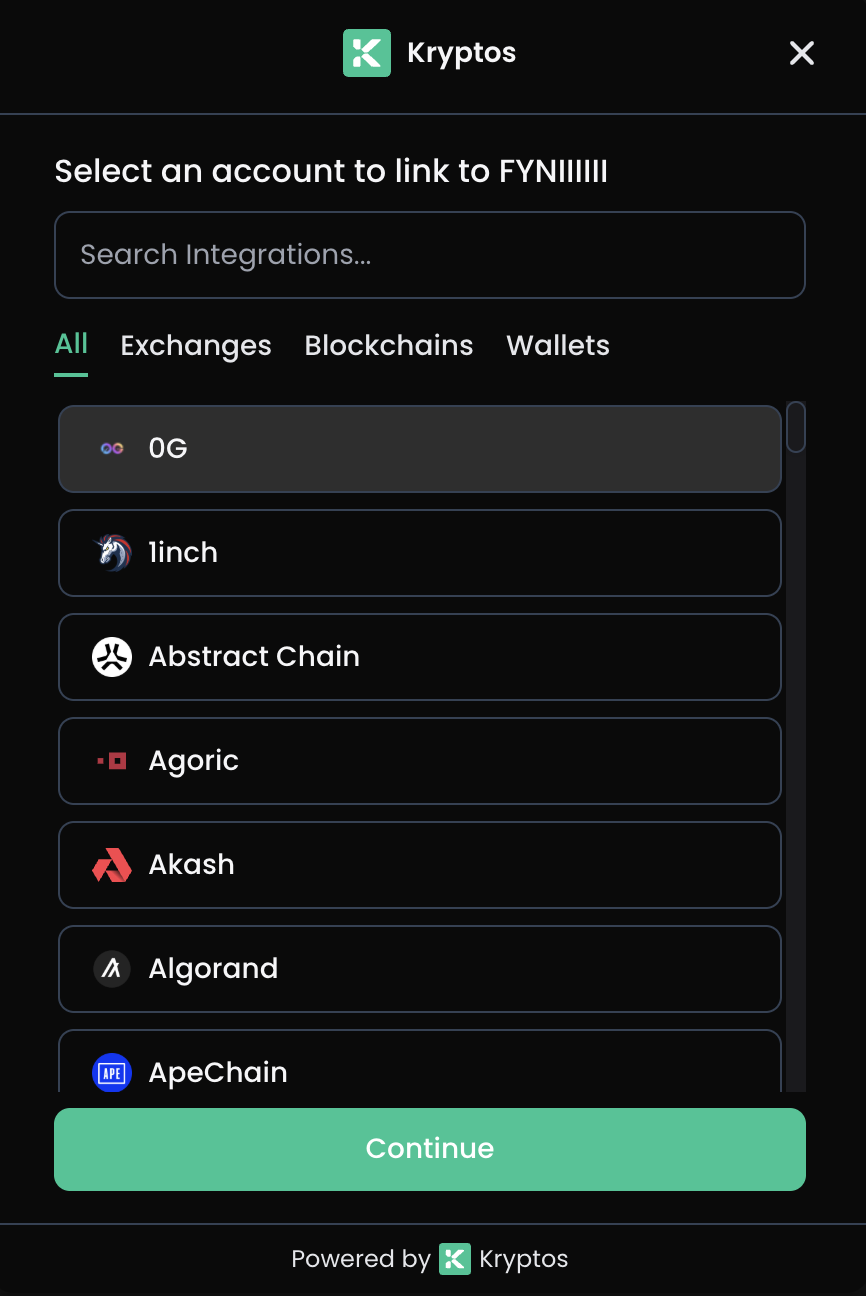
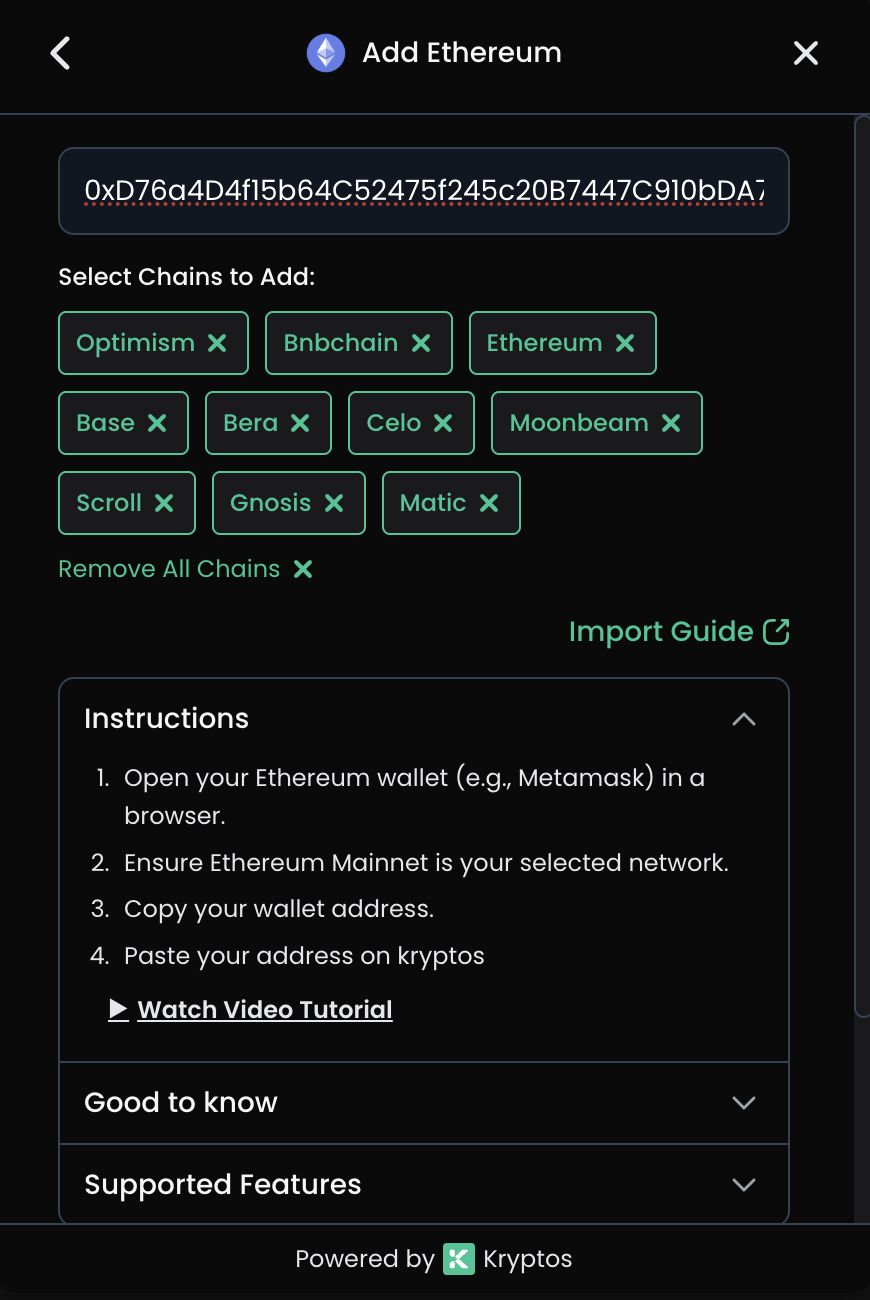
- Manage integrations by connecting wallets and exchanges
- Control permissions with granular scope-based access
- Long-lived access with 15-year access tokens (no refresh tokens needed)
- Native mobile support for iOS and Android applications
Base URL
https://connect-api.kryptos.io
How it works
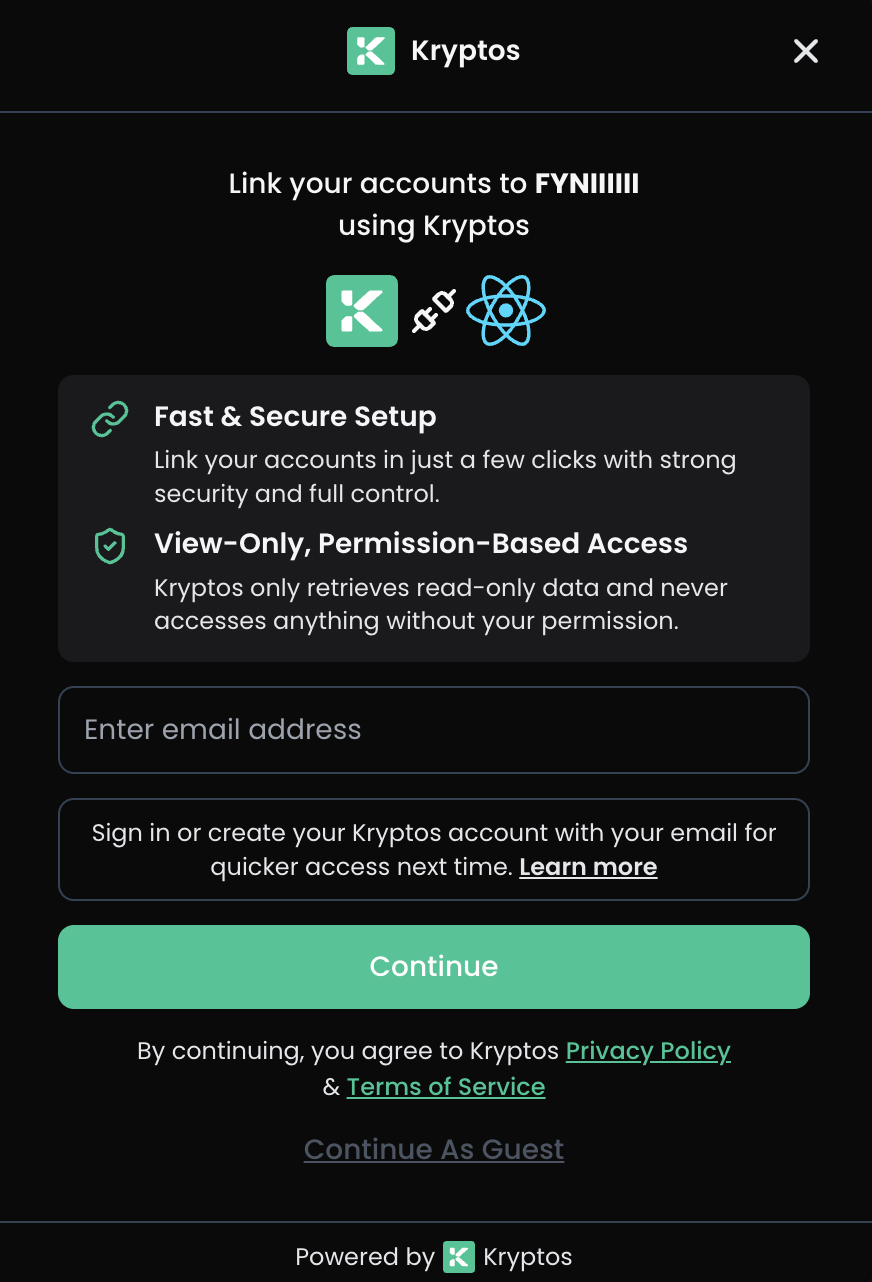
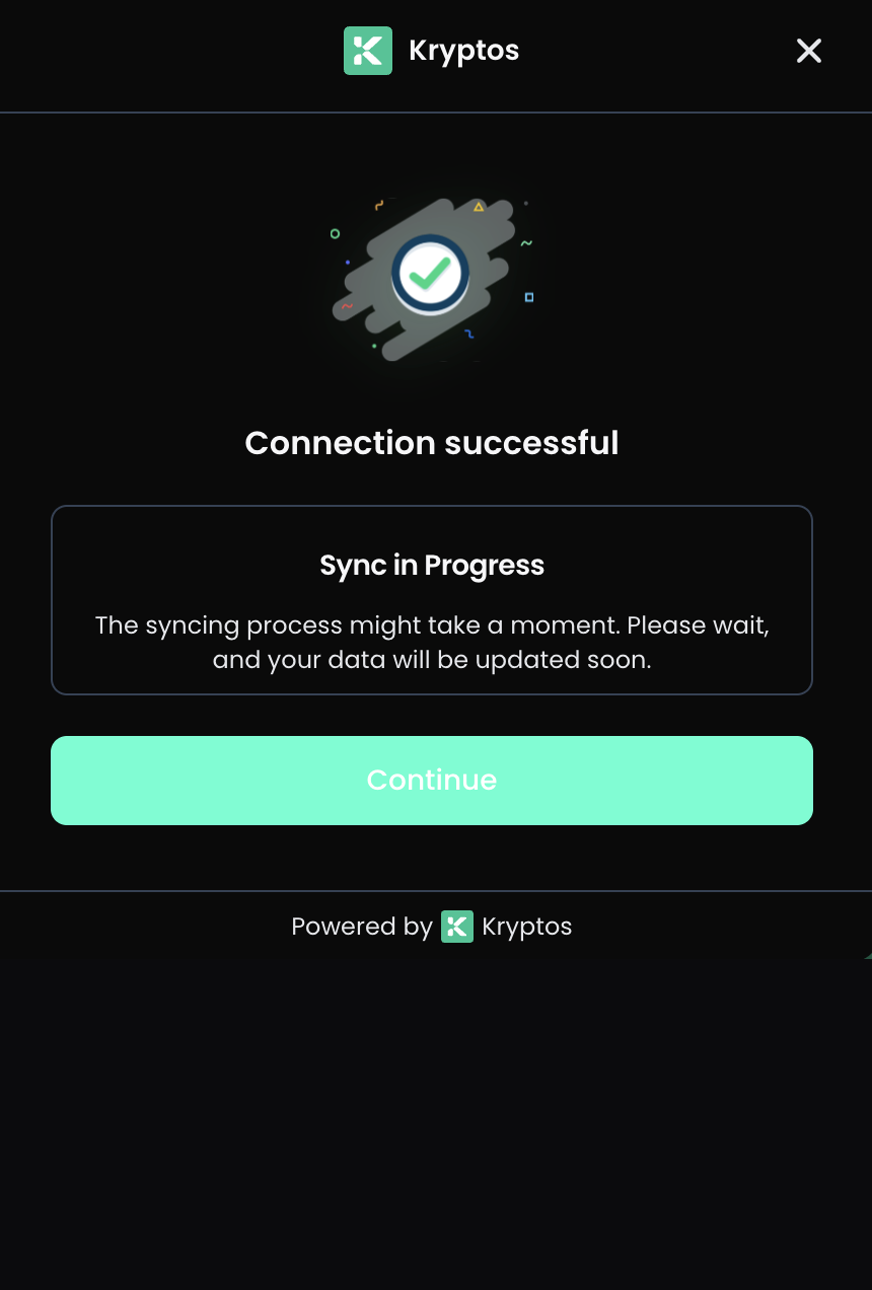
See how users connect their accounts through the Kryptos Connect widget:
Getting Started
Prerequisites
-
Register your application on the Developer Portal to receive:
client_id- Your application identifierclient_secret- Your secret key (keep secure, never expose in frontend)
-
Configure your client with:
- Allowed redirect URIs
- Allowed origins for CORS
- Required scopes
Integration Steps
1. CREATE LINK TOKEN (Backend)
   Your server calls /link-token with client credentials
   ↓
2. INITIALIZE WIDGET (Frontend)
   Pass link_token to the SDK widget
   ↓
3. USER AUTHENTICATES
   Guest login (no account), or email login with a one-time code.
   An email user with existing workspaces also picks which one to share.
   ↓
4. USER GRANTS CONSENT
   User approves requested permissions
   ↓
5. RECEIVE PUBLIC TOKEN
   Widget returns public_token via onConnectSuccess callback
   ↓
6. EXCHANGE TOKEN (Backend)
   Your server exchanges public_token for access_token
   ↓
7. ACCESS DATA
   Use access_token to call Data APIs
Authentication Methods
| Method | Header | Used For |
|---|---|---|
| Client Credentials | X-Client-Id + X-Client-Secret | Creating link tokens, exchanging and revoking tokens — backend only |
| Link Token | x-link-token | Widget operations, and adding integrations from the browser |
| Bearer Token | Authorization: Bearer {access_token} | Data API calls from your backend |
Client credentials may also be sent in the JSON body as client_id and client_secret, which the SDK
examples use. Either way they belong on your server, never in frontend code.
See Backend Integration for the request and response detail of every session endpoint.
Available Scopes
Default Client Scopes
When you create a new OAuth client, the following scopes are assigned by default:
openid profile offline_access email portfolios:read transactions:read
integrations:read tax:read accounting:read reports:read workspace:read users:read
Core Scopes
| Scope | Description |
|---|---|
openid | Required for OpenID Connect |
profile | User profile information |
email | User email address |
offline_access | Enable long-lived tokens |
API Scopes
| Resource | Read Scope | Write Scope | Description |
|---|---|---|---|
| Portfolios | portfolios:read | portfolios:write | Portfolio holdings |
| Transactions | transactions:read | transactions:write | Transaction history |
| Balances | balances:read | balances:write | Account balances |
| Integrations | integrations:read | integrations:write | Connected wallets and exchanges |
| DeFi | defi:read | defi:write | DeFi protocol positions |
| NFT | nft:read | nft:write | NFT collections |
| Tax | tax:read | tax:write | Tax calculations |
| Accounting | accounting:read | accounting:write | Accounting ledger |
| Reports | reports:read | reports:write | Generated reports |
| Workspace | workspace:read | workspace:write | Workspace settings |
Token Types & Lifetimes
| Token Type | Prefix | Lifetime | Description |
|---|---|---|---|
| Link Token | link_ | 30 minutes | Initialize Connect widget |
| Public Token | public_ | 30 minutes | Exchange for access token (one-time) |
| Access Token | cat_ | 15 years | API authentication (long-lived) |
| Grant Token | cgrant_ | 15 years | Authorization record (for revocation) |
Security Best Practices
- Never expose secrets in frontend code - Keep client_secret on your backend only
- Store tokens securely - Use encrypted storage for access tokens and grant IDs
- Use HTTPS - Always use secure connections in production
- Validate state parameters - Prevent CSRF attacks
- Monitor for suspicious activity - Log and monitor authentication events
- Allow users to revoke access - Provide UI to disconnect integrations using
/token/revoke - Store grant IDs - Keep grant IDs for revocation purposes
Guest and Linked users
Connect produces two kinds of user, and the difference affects what you can do with the session:
| Guest | Linked | |
|---|---|---|
| Created by | Guest login (no email) | Email login with a one-time code |
| Kryptos account | None — the workspace is the identity | Yes |
user_id | Equals workspace_id | A real user id |
| Can sign in to Kryptos directly | No | Yes |
| Subject to developer transaction limits | Yes | No |
Both are offered by default; control which with authMethods in the SDK.
A Guest is a workspace, not a person, which has two consequences worth designing around:
GET /v1/users/mereturns404— there is no profile to fetch. Detect a Guest fromis_anonymousat login, or by comparinguser_idwithworkspace_id.- The data belongs to the workspace your grant points at. Revoke the grant and nobody can reach it; a Guest cannot sign in elsewhere to recover it.
Only Guests accept PATCH /developer/grants/{grantId}/transaction-limit;
a Linked user returns 400 NOT_ANON_USER.
Choose your integration path
- Web SDK - React components for web applications
- Mobile SDK - React Native components for iOS & Android
- Backend Implementation - Server-side token management and API calls
- Examples - Complete end-to-end integration examples
Support
SDK Packages
- Web SDK: @kryptos_connect/web-sdk
- Mobile SDK: @kryptos_connect/mobile-sdk
Contact & Resources
- Email: [email protected]
- Website: kryptos.io
- Documentation: docs.kryptos.io
GitHub Repositories
- Web SDK: Kryptoskatt/kryptos-connect-package
- Mobile SDK: Kryptoskatt/kryptos-connect-mobile-package